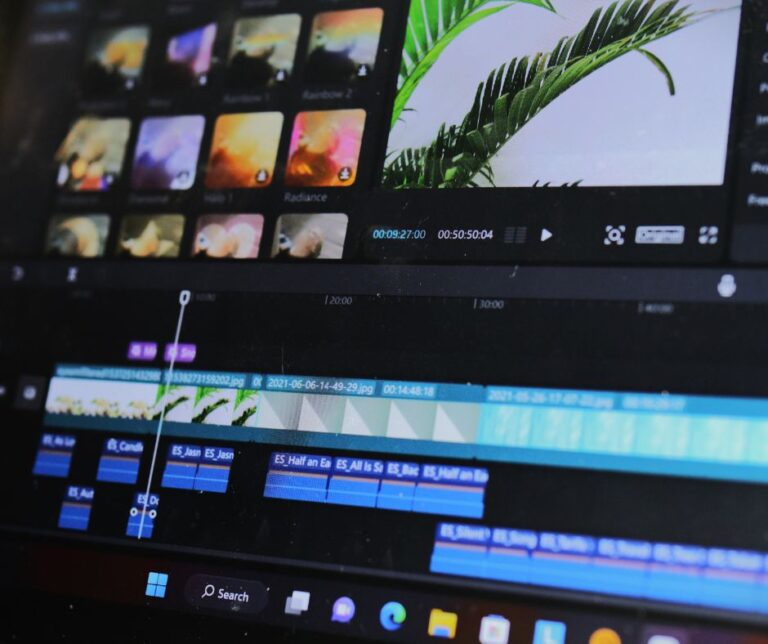

Best AI Video Tools for Content Creators in 2026
Video dominates every platform in 2026. Moreover, creators who produce it consistently reach far larger audiences than those who publish only text or images. However, video production traditionally required expensive software, technical skill, and significant time.
AI tools have changed that completely. Because scripting, voiceover, editing, captioning, and even on-screen presence can now be handled by AI, a solo creator can produce professional video content in under two hours. Furthermore, several of the best tools cost absolutely nothing.
However, the AI video tool market is crowded and confusing. Because dozens of platforms compete with similar marketing claims, choosing the right ones wastes either money or time. So this guide ranks the tools that genuinely deliver — and explains exactly who each one suits.
Quick Comparison Table
| Tool | Price | Best For | Free Plan | Key Strength |
| CapCut | Free (Pro optional) | All-round editing | Yes — full | AI captions + BG removal |
| TalkingPhotos.ai | Subscription | AI avatar video | Trial | Talking avatar from image |
| HumanTalk | $49–$249 one-time | Voiceover at volume | No | Unlimited TTS, no monthly fee |
| VideoCreator | ~$49 one-time | Business explainers | No | Live-action templates |
| Canva | Free / $15 mo | Graphics + simple video | Yes — full | Design + video in one |
| ElevenLabs | $22–$99/month | Premium voiceover | Limited | Best voice naturalness |
| Synthesia | $29+/month | Corporate AI presenters | Trial | Professional avatar quality |
| Descript | $12–$24/month | Podcast + text editing | Limited | Edit video by editing text |
1. CapCut — Best Overall Free AI Video Editor
CapCut is the tool most content creators should start with. Moreover, it is completely free for its core features — including several AI capabilities that competing platforms charge monthly subscriptions for.
Because it was developed by ByteDance, the company behind TikTok, it was built specifically for the short-form video formats that dominate social media. Furthermore, it runs on iOS, Android, and desktop browser, so you can edit anywhere without installing software.
CapCut’s Standout AI Features
- AI auto-captions — because most social video is watched without sound, captions directly improve watch time and engagement
- Background removal — moreover, it works without a green screen and handles imperfect lighting surprisingly well
- AI voiceover — furthermore, multiple voice styles and languages are included at no cost
- Trending templates — because the library updates with current TikTok and Reels trends, your content stays relevant
- Smart cut — moreover, it automatically identifies the strongest moments in longer footage
Furthermore, CapCut’s value proposition is genuinely difficult to argue with. Because it covers auto-captions, background removal, and voiceover — three functions that would otherwise require three separate paid tools — at zero cost, it should be every creator’s baseline.
| 🚀 Take Action: Download CapCut for free at capcut.com and spend 30 minutes exploring the auto-caption feature. Because captions alone can meaningfully increase your video performance on every platform, this single feature delivers immediate value. Moreover, CapCut covers the majority of what most creators need without any subscription. |
2. TalkingPhotos.ai — Best for AI Avatar Videos
TalkingPhotos.ai solves a specific problem that stops many people from creating video at all. Because it generates realistic talking avatar videos from a single static image, you can have an on-screen presenter without ever appearing yourself.
Moreover, the technology has genuinely matured. Because the platform produces natural lip-sync, realistic facial expressions, and subtle head movements, viewers engage with avatar content at similar rates to traditional creator videos. Furthermore, multi-language support means the same avatar can address global audiences.
Why This Matters for Creators
Camera reluctance is one of the most common barriers to video content creation. Moreover, it affects far more people than most creators admit. Because TalkingPhotos.ai removes that barrier entirely, it genuinely opens video creation to a large group who would otherwise never start.
Furthermore, it has specific commercial applications. Because UGC creators can produce brand videos without filming, and because course creators can maintain a consistent on-screen presence, the tool serves professional use cases rather than just novelty.
| 🚀 Take Action: Try TalkingPhotos.ai and create your first AI avatar video this week. Because camera shyness stops more people from earning through video than any technical barrier, this tool removes that obstacle completely. Moreover, read our full AI avatar UGC guide for the complete workflow from script to finished client deliverable. |
3. HumanTalk — Best Value for High-Volume Voiceover
HumanTalk earns its place through pricing structure rather than raw quality. Because it charges a one-time payment — $49 for the Commercial tier or $179 to $249 for Unlimited — rather than a monthly subscription, high-volume creators avoid accumulating recurring costs.
Moreover, it bundles genuine extras. Because 800+ voice clones, emotional text-to-speech, script generation, and content localization are all included, it functions as a production suite rather than a single-purpose voice tool. Furthermore, the article-to-script converter turns existing blog content into video scripts automatically.
However, be realistic about quality. Because ElevenLabs produces more natural output and HumanTalk users report occasional pronunciation issues, it is a value choice rather than a quality leader. So it suits creators producing volume where good is sufficient.
4. VideoCreator — Best for Business Explainer Videos
VideoCreator serves a narrower use case than the tools above. Because it centres on a template library covering explainer videos, product promos, and 3D logo reveals, it excels specifically at business marketing video rather than social content.
Moreover, its live-action templates featuring real actors have genuine value. Because filming actors yourself would cost hundreds or thousands of dollars, having pre-produced footage you can customize is a real cost advantage for freelance video services.
Furthermore, the pricing is a one-time payment of approximately $49 for lifetime access. However, the company has indicated this may shift to a monthly subscription of at least $67 — so the current lifetime option represents a time-limited opportunity.
- Best for: freelancers offering explainer video services to small businesses
- Skip if: CapCut already covers your needs, because CapCut is free and more flexible

5. Canva — Best for Design Plus Simple Video
Canva is not primarily a video tool. However, its video capabilities have grown substantially and integrate seamlessly with its design features. Because most creators already use Canva for thumbnails, graphics, and Pinterest pins, having video editing in the same platform reduces workflow friction.
Moreover, Canva’s AI features add genuine speed. Because Magic Design generates complete layouts from a prompt, Magic Write handles copy, and background removal works with one click, simple video projects move quickly. Furthermore, the free tier covers most creator needs.
However, Canva is not a serious video editor. Because timeline precision, advanced transitions, and audio mixing are all limited compared to CapCut, complex projects need a dedicated tool. So Canva suits simple video paired with graphics rather than video-first production.
6. ElevenLabs — Best Voice Quality (If Budget Allows)
ElevenLabs remains the quality benchmark for AI voice generation in 2026. Because its output is genuinely difficult to distinguish from human recording, it suits content where narration quality is central to perceived value.
Moreover, its voice cloning is significantly more accurate than competitors. Because you can clone your own voice convincingly, creators can scale content production while maintaining their authentic sound. Furthermore, pronunciation reliability is noticeably better than budget alternatives.
However, pricing starts at $22 per month and reaches $99. Because that cost accumulates to $264 to $1,188 annually, it is genuinely expensive for creators just starting out. So ElevenLabs suits established creators and professional client work rather than beginners testing whether video content fits their business.
7. Synthesia — Best for Corporate AI Presenters
Synthesia produces the most polished AI avatar videos available. Because its avatars look professionally filmed rather than obviously synthetic, it suits corporate training, internal communications, and enterprise marketing.
However, pricing starts at $29 per month and rises substantially for business features. Moreover, its focus on corporate use cases means it is genuinely overbuilt for most independent creators. So it belongs on this list for completeness rather than as a recommendation for solo content creators.

8. Descript — Best for Podcast and Long-Form Editing
Descript takes a genuinely different approach to video editing. Because it transcribes your video and lets you edit by editing the text, removing a sentence from your transcript removes it from the video automatically.
Moreover, this workflow is transformative for talking-head content, podcasts, and interview videos. Because finding and cutting a specific moment takes seconds rather than minutes of timeline scrubbing, editing time drops dramatically for dialogue-heavy content.
However, it suits long-form content specifically. Because short-form social video benefits less from transcript-based editing, CapCut remains better for TikTok, Reels, and Shorts production.
The Tool Stacks That Actually Work
Individual tools matter less than how they combine. Moreover, these three stacks cover the vast majority of creator use cases.
| Recommended Tool Combinations: THE FREE STACK — $0/month • CapCut (editing, captions, voiceover, background removal) • Canva free (thumbnails, graphics, simple animations) • Pexels/Pixabay (free stock footage) Covers: short-form social video, basic YouTube content, simple UGC THE FACELESS CREATOR STACK — ~$179 one-time + $0/month • CapCut (editing and assembly) • HumanTalk Unlimited (voiceover, one-time payment) • TalkingPhotos.ai (on-screen avatar presence) • Canva free (thumbnails and graphics) Covers: faceless YouTube channels, UGC without filming, course narration THE PROFESSIONAL STACK — ~$50–$120/month • CapCut or Descript (editing) • ElevenLabs (premium voiceover) • Canva Pro (design and brand assets) • Synthesia (if corporate avatar work is required) Covers: paid client work, premium content, professional production Because most creators genuinely need only the free or faceless stack, resist upgrading before your content generates income. |
How to Choose the Right Tools for You
Tool selection should follow your actual bottleneck rather than general recommendations. Moreover, adding tools you do not need wastes both money and attention.
- Editing is your bottleneck → CapCut, free and genuinely capable
- Camera reluctance is your bottleneck → TalkingPhotos.ai for avatar presence
- Voiceover cost is your bottleneck → HumanTalk one-time payment
- Voice quality is your bottleneck → ElevenLabs subscription
- Business explainer templates are your bottleneck → VideoCreator
- Long-form editing time is your bottleneck → Descript transcript editing
| ⚡ Efficiency Tip: Start with CapCut alone and produce ten videos before adding any other tool. Because most creators discover their real bottleneck only after producing content consistently, buying tools before you have a workflow leads to unused subscriptions. Moreover, CapCut covers enough that many creators never genuinely need anything else. |

AI Video Tools to Approach Carefully
Not every AI video tool deserves your money. Moreover, certain patterns signal poor value.
- Tools promising fully automated viral videos — because content strategy cannot be automated, only production can
- Platforms with aggressive upsell funnels — moreover, these often lock essential features behind repeated purchases
- Text-to-video generators producing generic AI footage — furthermore, this content is increasingly recognizable and performs poorly
- Any tool whose demos look dramatically better than user-generated examples — because this gap indicates cherry-picked marketing
The Honest Ranking
| Final Rankings by Category: BEST OVERALL FOR CREATORS — CapCut Because it is free, capable, and covers the majority of production needs. BEST FOR FACELESS CONTENT — TalkingPhotos.ai + HumanTalk Because together they solve both on-screen presence and voiceover permanently. BEST VALUE — HumanTalk Unlimited Because one payment replaces years of subscription costs for high-volume creators. BEST VOICE QUALITY — ElevenLabs Because it remains the naturalness benchmark despite the subscription cost. BEST FOR BUSINESS VIDEO — VideoCreator Because its explainer and logo reveal templates serve a genuine freelance market. BEST FOR LONG-FORM — Descript Because transcript-based editing dramatically reduces production time for dialogue content. MOST OVERRATED FOR SOLO CREATORS — Synthesia Because it is genuinely excellent but built for corporate budgets rather than independent creators. |
Final Thoughts
The best AI video tool is the one you actually use consistently. Moreover, most creators overestimate how much software they need and underestimate how much consistency matters.
Because CapCut covers editing, captions, voiceover, and background removal at zero cost, it is genuinely sufficient for most creators through their first year. Furthermore, adding TalkingPhotos.ai or HumanTalk makes sense only once you know your specific bottleneck from real production experience.
So start free, produce consistently, and add tools only when a genuine limitation appears. Because the creators earning from video in 2027 are producing content today with whatever tools they already have, tool selection matters far less than starting.
| 🚀 Take Action: Download CapCut today and produce your first video this week. Because it costs nothing and covers auto-captions, voiceover, and background removal, there is no financial barrier between you and your first AI-assisted video. Moreover, read our faceless AI video guide to see exactly how these tools combine into a complete income-generating workflow. |
Latest blog posts
- Systeme.io Review: The All-in-One Platform That Replaces 7 Tools at Once
 Most online entrepreneurs pay for too many tools. Because a typical setup includes an email platform, a funnel builder, a course host, a landing page tool, and an affiliate manager, monthly costs easily reach $200 to $400. Moreover, managing five separate logins and integrations wastes hours every month. Systeme.io promises to solve this problem entirely….
 - How to Make Faceless AI Videos That Earn Money
 Faceless video content generates real income in 2026. Moreover, it does so without requiring you to appear on camera, build a personal brand, or invest in filming equipment. Because AI tools now handle scripting, voiceover, visuals, and even on-screen presence, the production barrier has effectively disappeared. However, most guides on this topic promise automated income…
 - Best AI Video Tools for Content Creators in 2026
 Video dominates every platform in 2026. Moreover, creators who produce it consistently reach far larger audiences than those who publish only text or images. However, video production traditionally required expensive software, technical skill, and significant time. AI tools have changed that completely. Because scripting, voiceover, editing, captioning, and even on-screen presence can now be handled…
 - HumanTalk Review: AI Text-to-Speech That Sounds Like a Real Person
 AI voice tools have transformed content creation. Moreover, they have made faceless YouTube channels, UGC videos, and audiobook production accessible to people who would never record their own voice. However, most quality AI voice platforms charge $22 to $99 every month — which adds up quickly for creators just starting out. HumanTalk takes a different…
 - VideoCreator Review: Can You Really Make Money With This AI Video Software?
 Video content dominates every platform in 2026. Moreover, businesses of every size need it constantly. Because most small business owners lack the skills, time, or budget to produce video themselves, a genuine market gap exists for creators who can fill it. VideoCreator promises to close that gap. Because it offers a template-driven, cloud-based video editor…